3Field observations
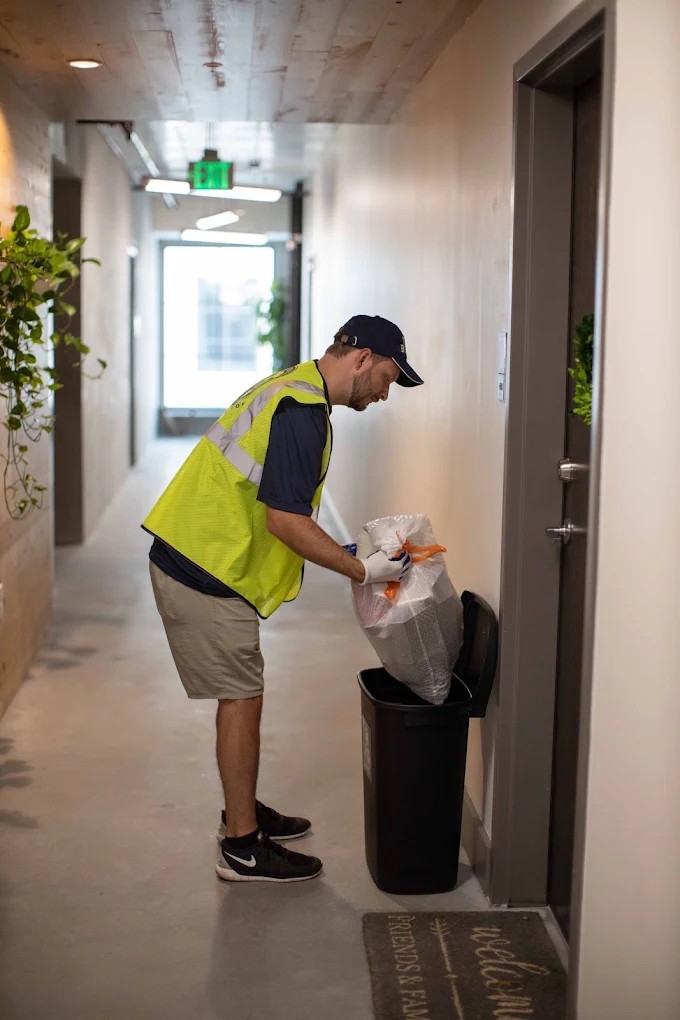
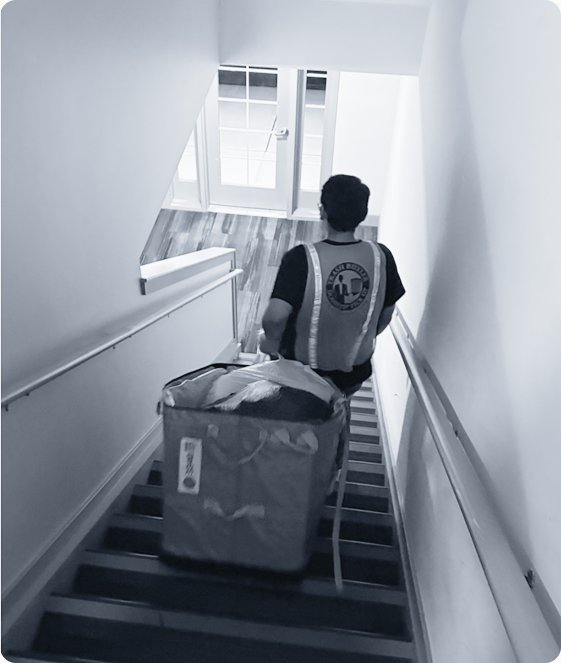
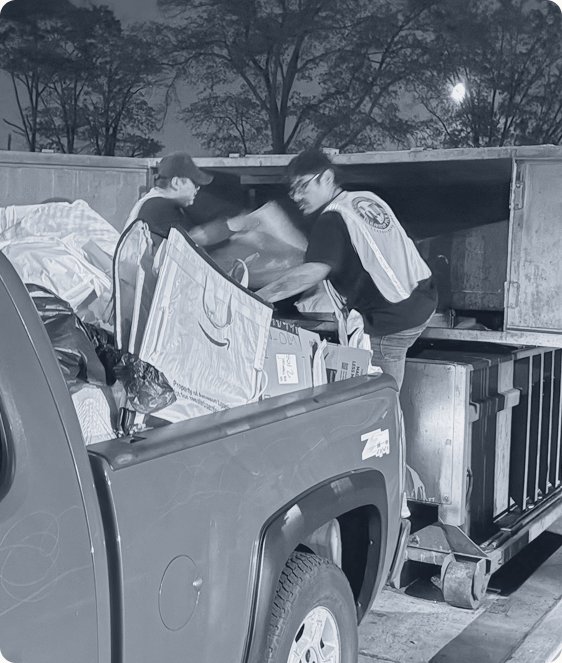
Key learnings: Butlers work at night, walking and carrying bins, often in low light and with no signal.
How one connected ecosystem and a set of AI agents transformed operations for a US property-services company across 1,200+ communities.
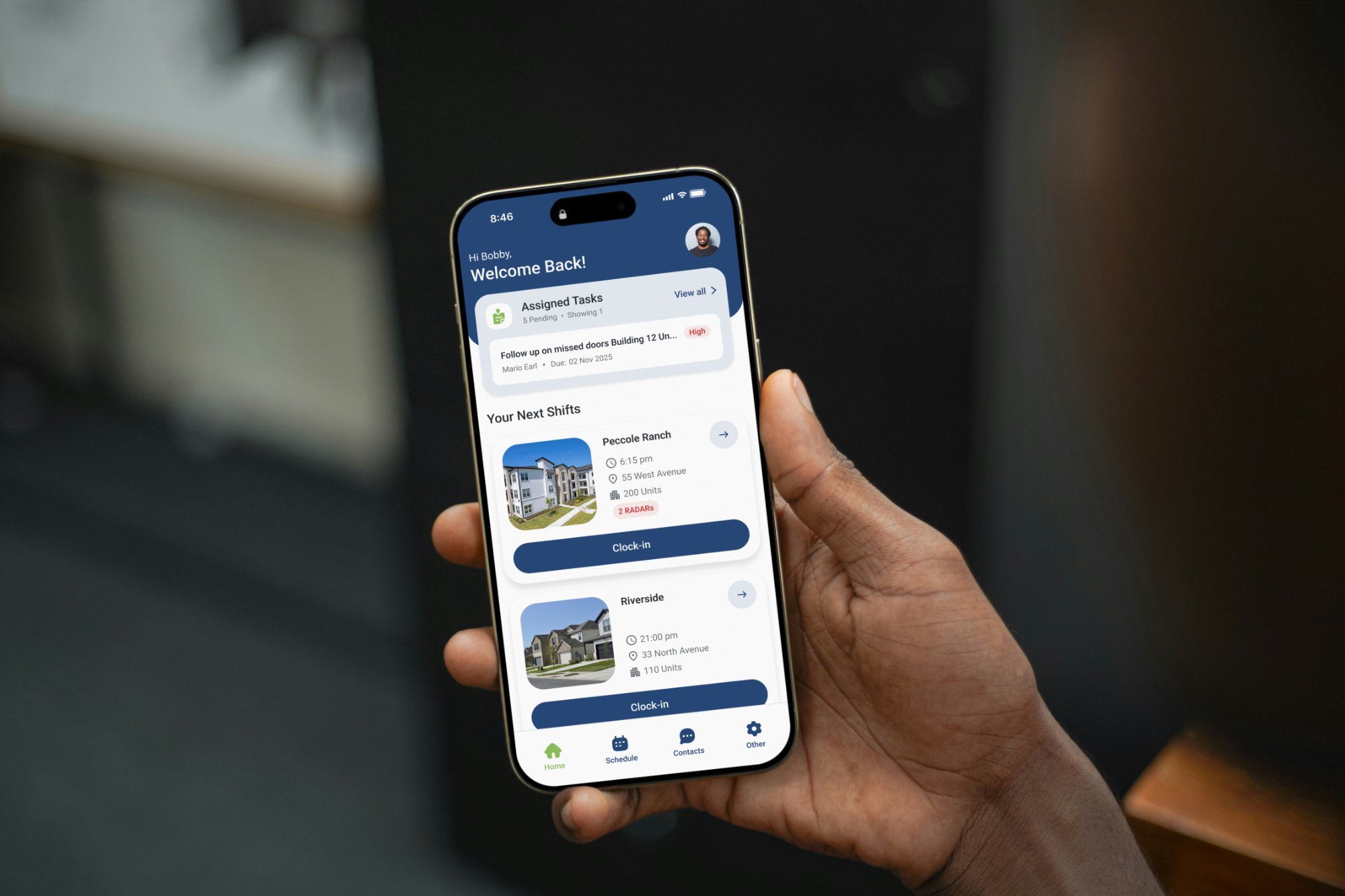
We’ve moved from delayed interpretation and reactive firefighting to a proactive model: signals get flagged early, routed to the right owner automatically, and acted on before issues escalate.
Butler Plus provides valet-trash and property services to residential communities across 34 US states. Its day-to-day operations ran on disconnected apps, spreadsheets, email and manual checks.
The project team was brought in to rethink an underperforming product built by an external vendor. Early on it became clear the problem wasn't a few screens: it was the whole service. I led design from kickoff to release, reframing the brief from "fix the app" to "design the operating ecosystem".
Over 11 months, the project ran in two phases. Each phase followed the same four stages and opened with a 3-week discovery. Define and Design ran in short loops, validated every week with stakeholders and field users. Delivery was planned in two-week sprints.
AI as a design partner: how I set up the project in Claude
Understand field workflows and the business operations behind them.
Turn findings into a shared view of problems and priorities.
Shape the future ecosystem and its key experiences.
Bring the design to production with the build team.
To map the current state of the service, understand its problems at the root and spot opportunities to improve it, I had to look at it from every side: in the field at night, observing Butlers and asking questions; in workshops with the operations teams; and in interviews with the leadership at the top of the organization. A big part of the research happened in the three-week discovery that opened each phase, and it continued through every step of the project to validate ideas and dig deeper into specific features.
Key learnings: Butlers work at night, walking and carrying bins, often in low light and with no signal.
Key learnings: every role had its own tools and workarounds, and nobody had the full picture of a single service.
Key learnings: leadership’s view of the field was often distorted, so attention went to the wrong issues. Field evidence refocused priorities on the real causes.
The business stakeholders’ view alone wasn’t enough. To understand the real service, I went into the field with the operations team who deliver it every night.

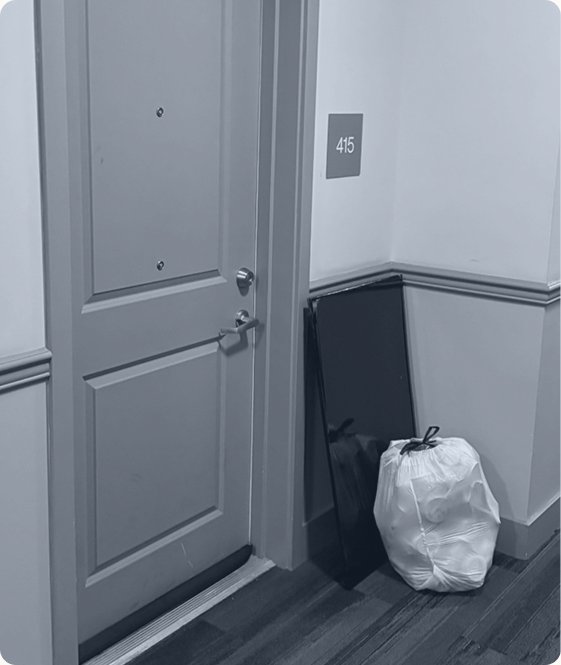
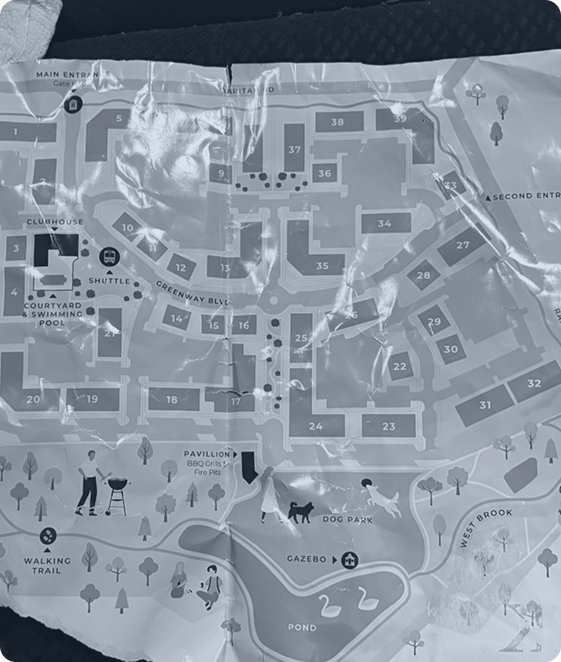
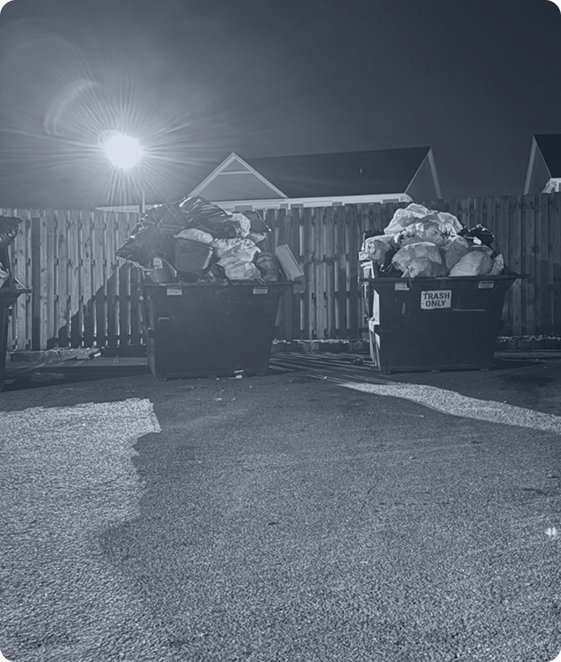
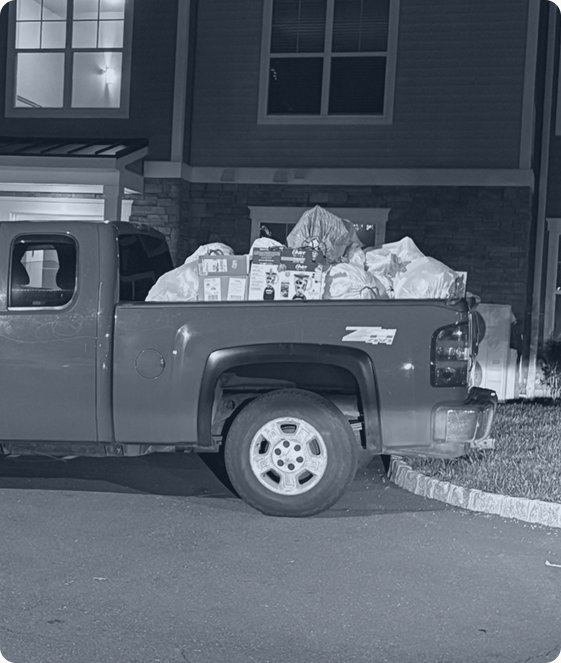
“We want to use the phone only when it really matters.”
What it meant for the design
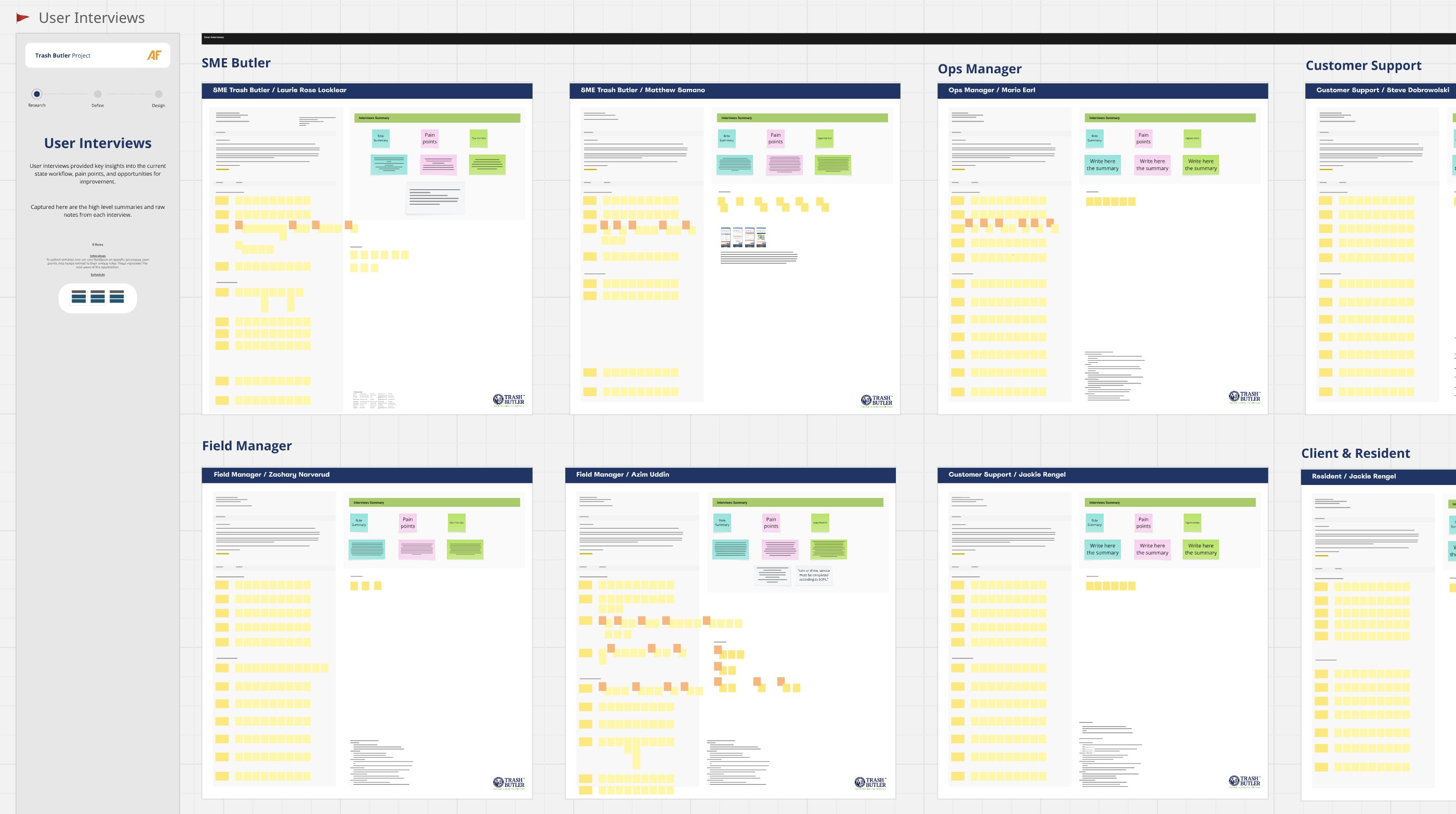
One-on-one conversations with Butlers, Field Managers, Ops Managers, Customer Support and residents revealed what every role was missing.
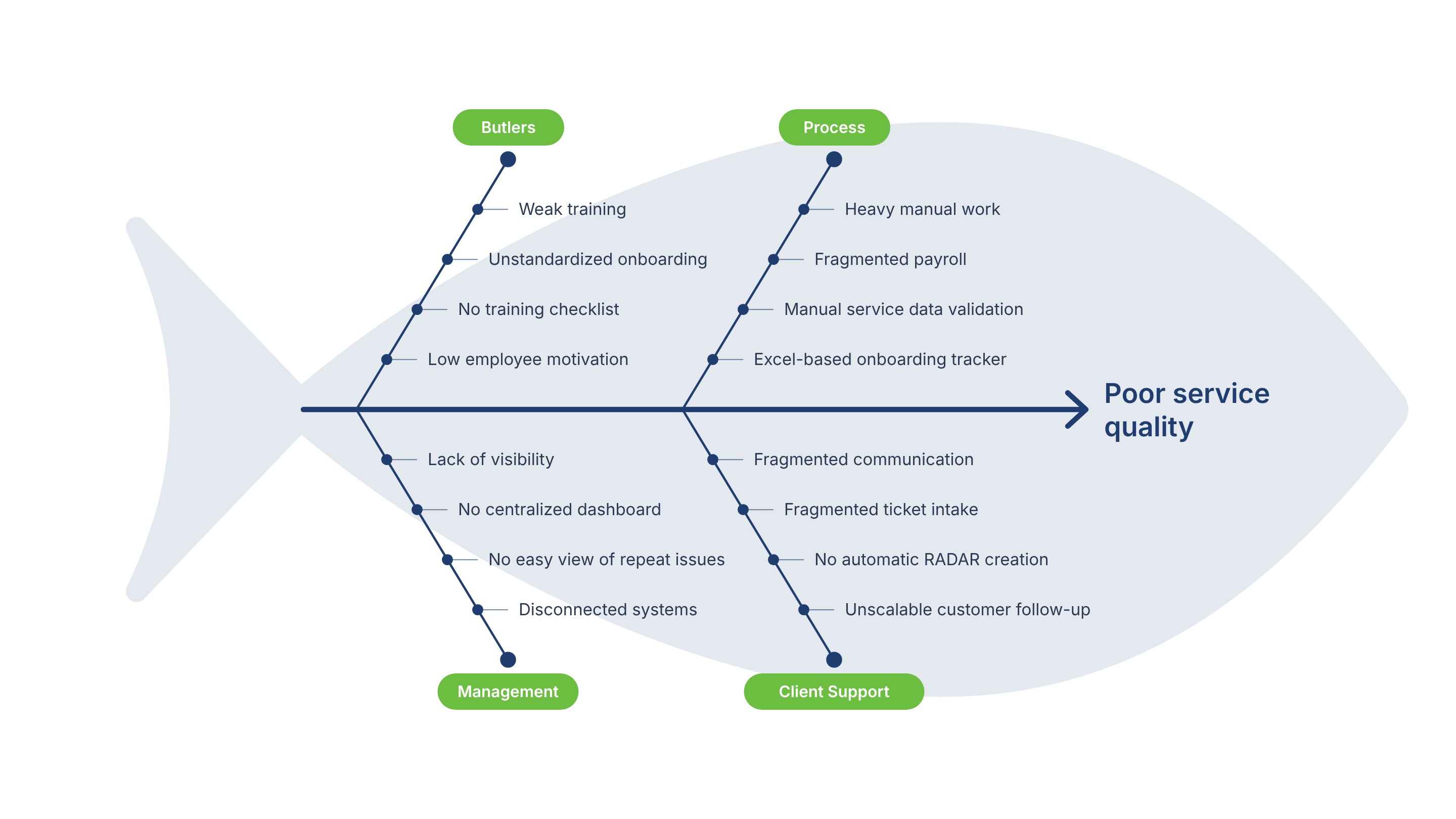
The client’s main request was simple: “We need to improve our service quality.” My research showed that every issue we uncovered fed into that one problem. Mapping them in this diagram helped me show the client that poor service quality wasn’t something to fix directly. It was the result of smaller root causes that had to be solved first.
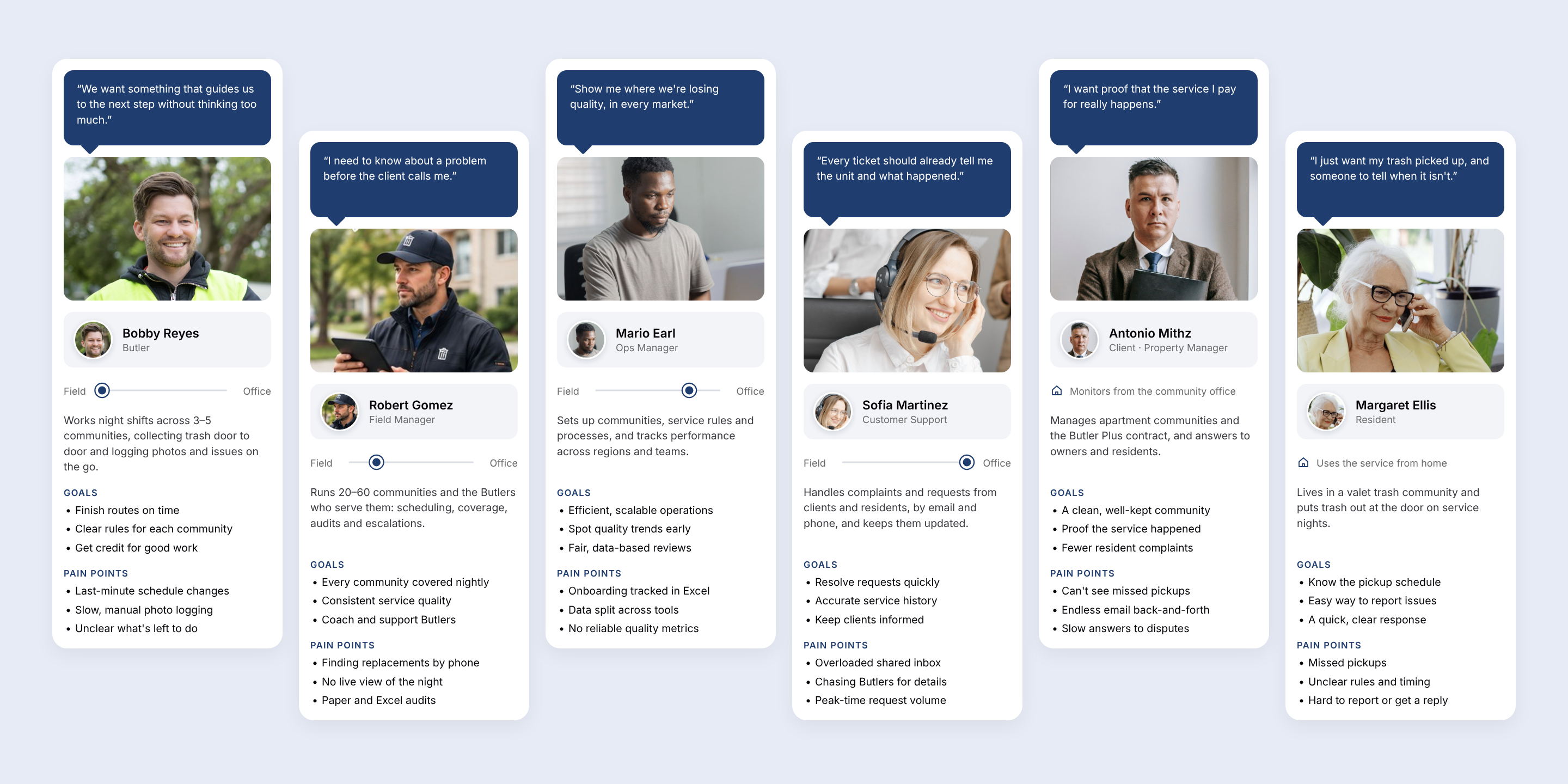
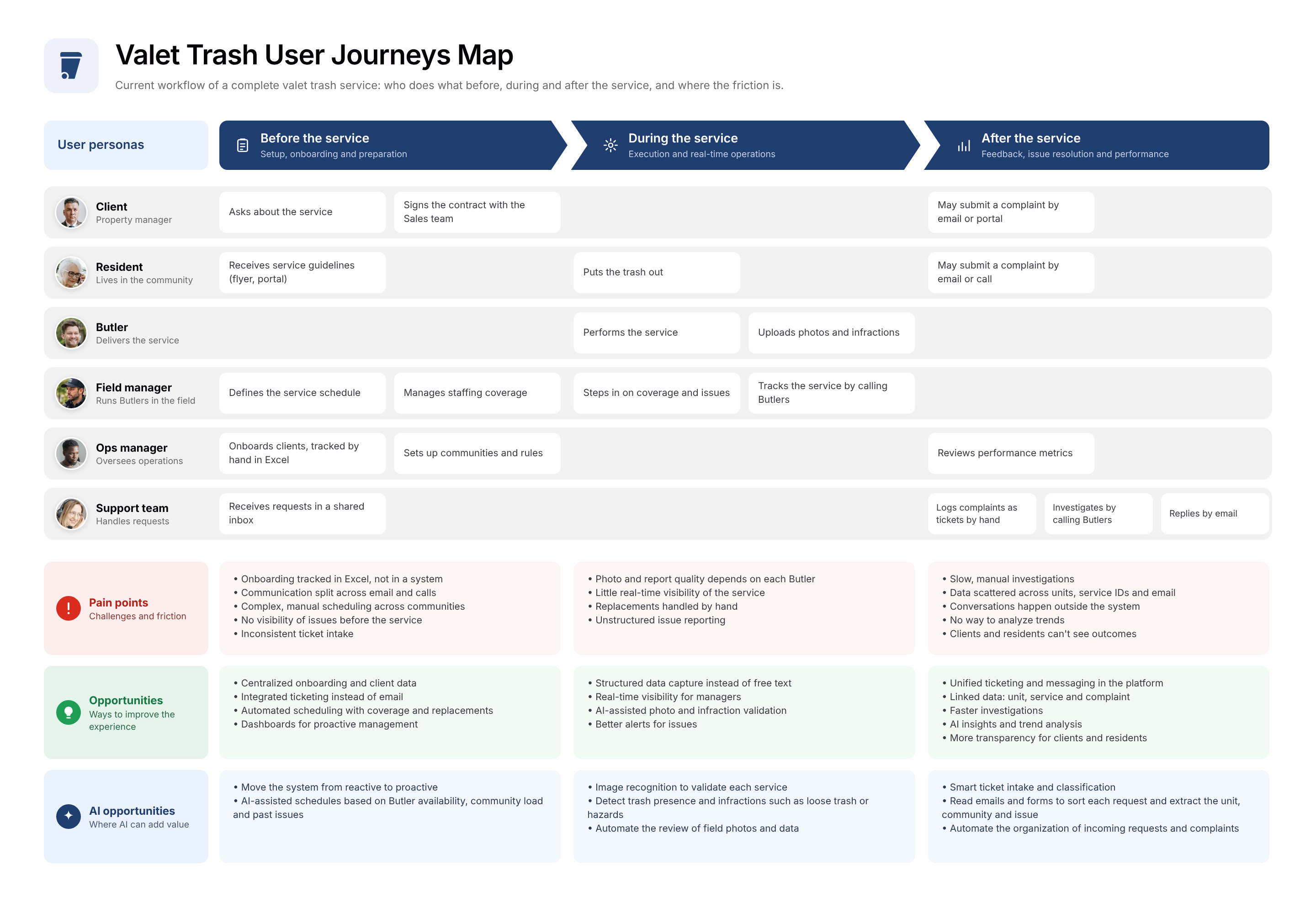
The research was converged into personas, key insights and an end-to-end map of the current service.
One service-agnostic platform supporting every operational and management role, designed around real workflows and structured data.
 Mobile Service App
 Butler
 Field
 Management Portal
 Customer
 OpsField
 Client Portal
 Client
 Resident Page
 Resident
 Ecosystem

The quality of the whole system starts with how a Butler delivers the service and captures data, so this was the most critical piece.
“We want something easy to use, that doesn’t make us think too much.”
Butlers used to upload data after the service, which made it unreliable: old or wrong photos were sometimes submitted. The bottleneck was that some community areas had no internet connection, so the system had to allow uploads after the service, once the Butler was back online. I convinced the client to require instant uploads and pushed the tech team to build an offline mode, so the app could capture data during the service and sync automatically once connected. Wrong photo uploads and Butler fraud dropped sharply.
Trade-off: more build effort and less freedom for users, but reliable data from every service.
Every service starts with a few required checks, but Butlers often skipped them, leaving the back office without the data to assess each community or judge service quality. I replaced the old open form with a guided, step-by-step flow: each check must be captured, or skipped with a valid reason, before the service can begin. This shift was one of the biggest drivers of better service data.
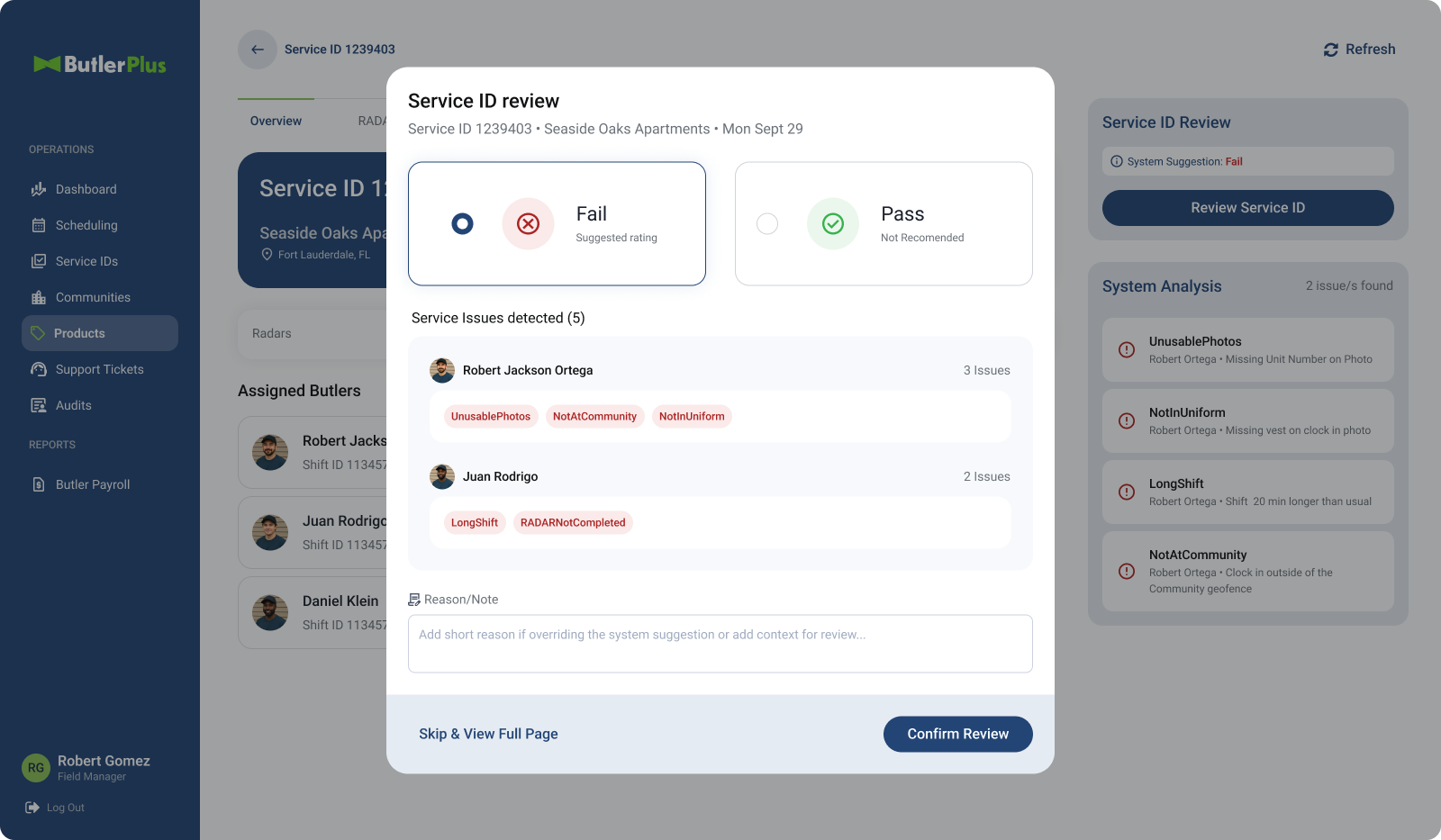
Once Butlers were capturing clean, structured data, the focus moved to the back office, with one question: where can AI remove the most manual work? Two areas made the biggest impact: reviewing service data and managing requests from clients and residents.
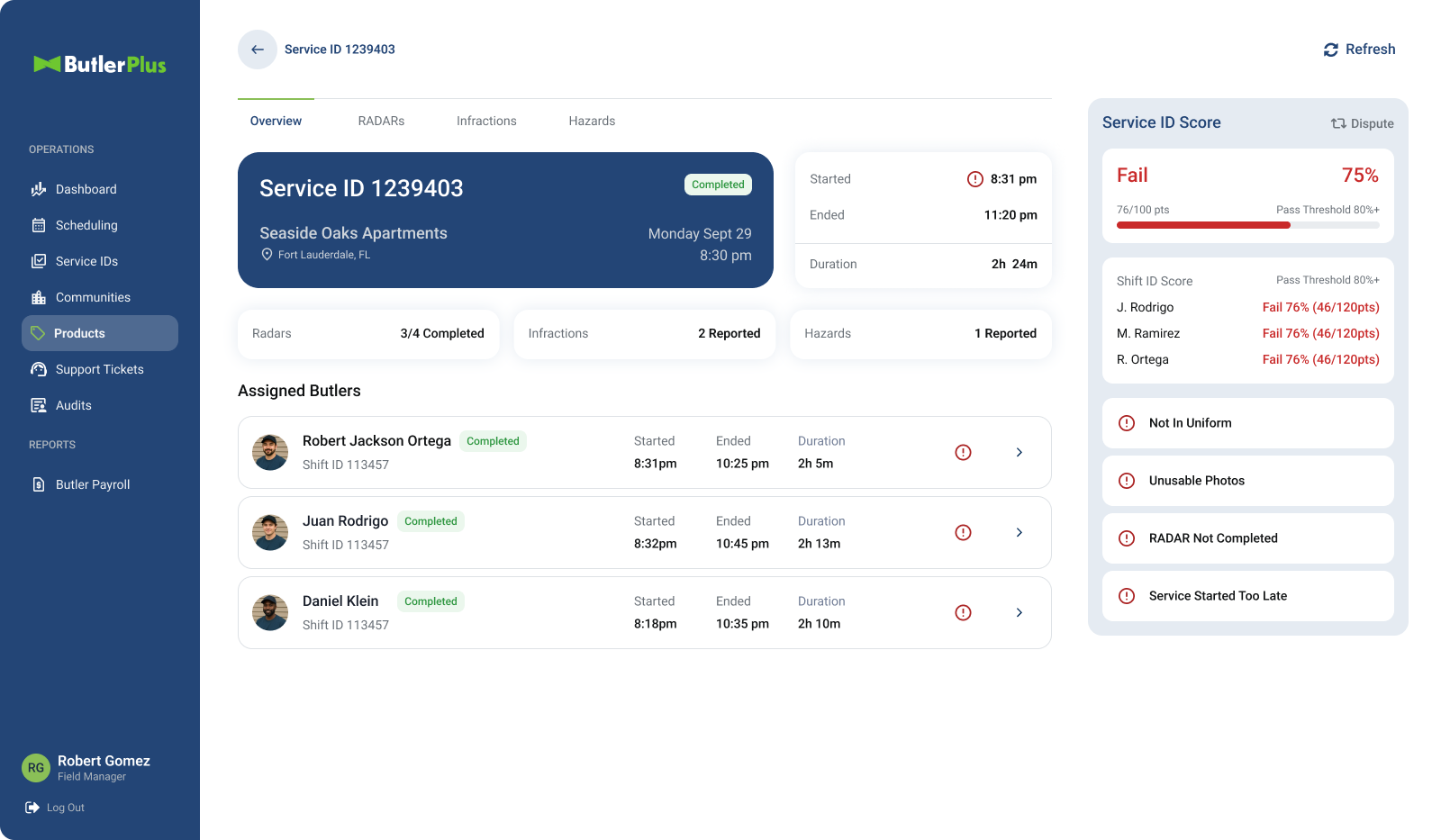
Every night, 1,500 Butlers use the Mobile Service App to log their services, capturing 3,000–6,000 photos of on-site evidence, hazards and infractions and generating over 20,000 data points. This data was the company’s clearest window into real service quality, yet reviewing it was fully manual, slow and expensive: an offshore team checked every photo and record, more than 5,300 service IDs a week. Now a set of AI agents reviews the data and, based on the company’s business rules, scores each service, and those scores feed into the performance evaluation of Butlers and managers. Read my article about this case study ↗
✦ 3 AI agents working together
✦ 2 AI implementation stages
Requests used to land in one shared Outlook inbox, where an offshore team sorted hundreds of emails and calls a day across dozens of labels. Now an AI agent turns every message into a tracked ticket, linked to the unit, the service and its photo proof.
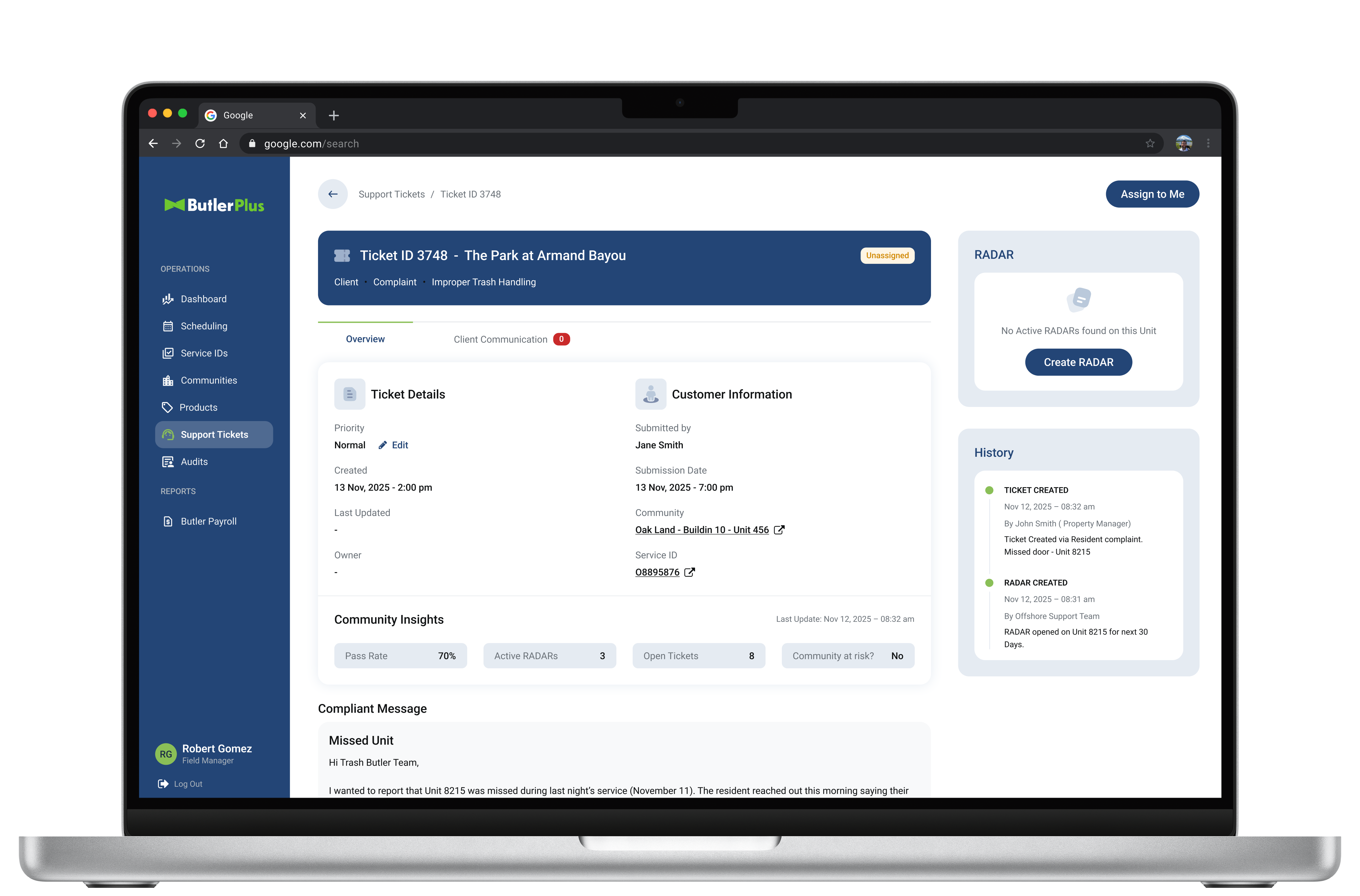
After launch, users asked to edit email subjects and add or remove recipients in the portal’s built-in messaging tool. Before it went to the backlog, I pushed the team to dig into why. The AI agent links each conversation to its ticket by tracking subjects and recipients, so those edits would break the thread and push communication back to unstructured email, exactly what the system replaced. I convinced the product owner to hold the line, keeping every conversation centralized and visible to management.
Trade-off: less flexibility for users, but one reliable source of truth for every ticket.
Full control over every request. Faster decisions with proof at hand.
Consistent quality everywhere. A customer team always on top of things.
The operational heart of the ecosystem: one web app where managers and support teams plan, monitor and resolve the service, replacing spreadsheets, email loops and static reports.
Every month, the schedule is generated automatically from community and service rules, so managers no longer have to build it by hand.

Managers see the night's service as it happens: completed routes, missed units, open issues and performance by community, so they act before problems escalate.

With operations under control, the system was opened to the people paying for the service. The Client Portal gives property managers a dedicated space to see the value of what they pay for, with clear evidence instead of back-and-forth emails.
Clients get full visibility on every ticket opened by them or their residents, and can track its status in real time.

Photo-verified records of each service, so disputes are settled with evidence, not opinions.

A simple page that gives residents what they need without calling anyone: when the service happens, how it works and how to report a problem.

A weekly calendar shows residents which services happen in their community and when, accessible from the flyer QR code.

A short structured form replaces free-text emails, so every report arrives complete and turns directly into a ticket.

Links to the community’s service rules and documentation, so residents know what to expect before they need to ask.
The client wanted the MVP to show residents every service detail and send push notifications during the service. I challenged it. Notifications could only follow the schedule, since offline mode meant no real-time location, so residents might hear “service started” when no Butler was there. With operations not yet consistent, that risked hurting trust. We removed notifications from the MVP.
Trade-off: less real-time awareness for residents, but no promises the service couldn’t keep.
The rollout started with small-group pilots to refine the experience in the field, then expanded to the full workforce.
It was launched with valet trash. Because the system was designed to be service-agnostic, the team added four new service lines by configuring new business rules, without redesigning the product.
 First serviceValet trash
Doorstep trash pickup on scheduled nights.
 Pressure washing
Cleaning of sidewalks, breezeways and common areas.
 Pest control
Scheduled treatments for buildings and units.
 Porter service
Litter pickup and upkeep of shared spaces.
 Bulk hauling
Removal of large items and move-out waste.
“Each new service line has cost about 10% of what it took to build the first, and that gap keeps growing.”
Excited about AI, the client arrived with ambitious ideas based on little analysis. I challenged them and proposed mapping every bottleneck across the system first, to see where AI would have the highest impact, weighing implementation time so they could see results quickly. The client was grateful for being made to look at the whole picture before rushing into decisions.
Especially with AI, start from the problem, not the solution.
The original plan was to run discovery with business stakeholders only; they said they had already gathered feedback from the field, so talking to the Butlers wasn’t needed. I pushed to include the Butlers, sensing the field would reveal what business meetings couldn’t. The field observations cleared up many open questions and revealed the values and limits to design around. User satisfaction rose from the first releases, with Butlers saying they finally had everything they needed.
Good design comes from balancing business requirements with real user needs.
The ticketing system proposal completely changed how the team worked, to cut manual effort in the long run. Most of the client team leaned toward a hybrid between the old process and full automation. The design team made the case for the bigger change, showed the downsides of the hybrid and answered every technical question until the design was solid. The PO approved it for production, and after a short adaptation period the team was grateful for the push toward the fully streamlined solution.
Design for what the client needs, not just what they ask for, while knowing when an exception makes sense.


